Update: October 26, 2026: Mandatory Display Suspended
Under BIR Revenue Memorandum Circular No. 113-2026, the mandatory display of the BIR Registration Seal Badge has been suspended until further notice.
Taxpayers are no longer required to display the badge while the suspension remains in effect. Those who have already obtained their badges may continue displaying them voluntarily.
No penalties will be imposed solely for non-display during the suspension period.
This supersedes the previously announced October 31, 2026 compliance deadline under RMC No. 99-2026.
The suspension concerns the mandatory display requirement and does not remove other BIR registration or tax obligations.
If you sell products online, provide services through digital platforms, or earn income from content creation, you may need to display a BIR Registration Seal Badge on your website, online store, marketplace profile, or other online business page.
The Bureau of Internal Revenue (BIR) introduced the Registration Seal Badge under Revenue Memorandum Circular (RMC) No. 38-2026, issued on April 29, 2026. It implements the online proof-of-registration requirement under Section 5(H) of Revenue Regulations (RR) No. 7-2024 and Section 7 of RR No. 15-2024.
Instead of requiring taxpayers to publicly post their full BIR Certificate of Registration (COR) or electronic Certificate of Registration (eCOR), the BIR now provides a Registration Seal Badge containing a QR code that can be used to verify the taxpayer’s registration.
This addresses an important concern with the previous requirement: a COR contains taxpayer information that businesses may not want to display publicly on the internet.
For taxpayers who have not yet complied, the BIR subsequently issued RMC No. 99-2026, extending the compliance period until October 31, 2026, without penalties arising solely from the non-display of the Registration Seal Badge during the extension period.
What Is the BIR Registration Seal Badge?
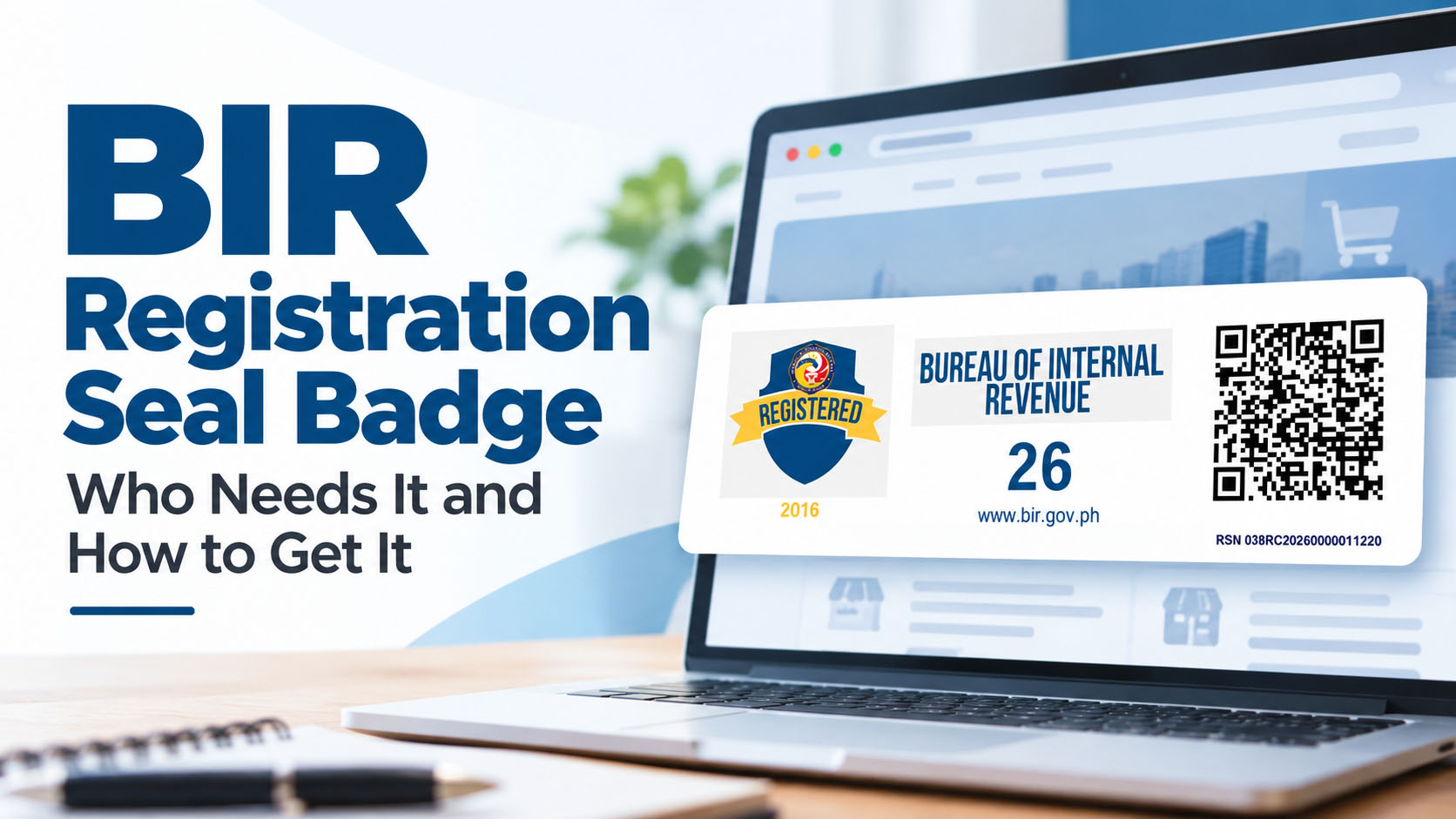
The BIR Registration Seal Badge is a standardized proof of BIR registration designed for public display online.
It contains a QR code that can be scanned to verify the authenticity of the registration and determine whether the taxpayer’s business registration with the BIR is valid.
Under RMC No. 38-2026, the badge may be displayed in place of the taxpayer’s full COR or eCOR on applicable online business pages.
This means an online business generally does not need to upload an image of its entire Certificate of Registration just to comply with the online display requirement.
The badge does not replace your Certificate of Registration itself. Your COR or eCOR remains your BIR registration document. The badge serves as the public-facing proof of registration intended for display on your online business presence.
Why Did the BIR Introduce the Registration Seal Badge?
The requirement to display proof of registration online existed before the Registration Seal Badge.
Section 5(H) of RR No. 7-2024 requires proof of BIR registration to be posted on online websites, e-commerce or e-marketplace seller or merchant pages, and other platforms.
For taxpayers engaged in business through online or digital channels, Section 7 of RR No. 15-2024 likewise provides rules on the posting of proof of registration on applicable online platforms.
RMC No. 38-2026 introduced the Registration Seal Badge partly to address taxpayers’ concerns regarding the online disclosure of sensitive information contained in their COR or eCOR.
A Better Approach to Publicly Verifying BIR Registration
From our perspective at MPM, the Registration Seal Badge is also a welcome improvement from a data-security standpoint.
We have always been uncomfortable with the previous approach of requiring businesses to display their entire Certificate of Registration on publicly accessible websites. A COR contains information such as the taxpayer’s TIN, address, and other registration details, and we do not believe businesses should have to expose more taxpayer information than necessary simply to prove that they are BIR-registered.
This concern is also recognized in Annex B of RMC No. 38-2026, where the BIR specifically instructs taxpayers not to post the entire COR/eCOR and points out that doing so exposes information such as the taxpayer’s TIN and address.
From an IT and security perspective, this is particularly relevant because some BIR filing systems, such as the Offline eBIRForms Package, rely on taxpayer information entered into the return as part of the filing process. Unlike systems that require the taxpayer to authenticate using account credentials before filing, possession of taxpayer registration information can create unnecessary opportunities for misuse.
The Registration Seal Badge provides a better approach. Customers and other parties can verify a business through the QR code without requiring the taxpayer to publish the entire COR online.
Who Needs to Display a BIR Registration Seal Badge?
The online display requirement is broader than businesses selling physical products through e-commerce marketplaces.
RMC No. 38-2026 applies the requirement to persons engaged in providing goods or services through digital or electronic means or maintaining an applicable online business presence.
Online Sellers and E-Commerce Businesses
Businesses selling goods through online channels are among the most obvious taxpayers covered by the requirement.
This can include businesses selling through:
- e-commerce and marketplace platforms;
- their own e-commerce websites;
- mobile applications;
- social media business pages; and
- other online selling platforms.
A business does not necessarily need its own website to fall within the requirement. Selling through an online marketplace or another digital platform can still bring the business within its scope.
Businesses and Professionals Providing Services Online
The requirement is not limited to the sale of goods.
RMC No. 38-2026 also covers persons offering services through websites, e-commerce platforms, mobile applications, or other digital or electronic means.
Depending on how they operate, this may include professionals, freelancers, consultants, virtual service providers, and other businesses offering their services online.
Content Creators, Bloggers, Vloggers and Influencers
Digital content creators can also be covered.
The BIR includes activities such as blogging, vlogging, live streaming, content creation, influencing, and other monetized digital activities within the scope of the rules.
Income may come from sources such as advertising, subscriptions, commissions, sponsorships, or other monetization arrangements.
This is an important distinction because a content creator may not consider themselves an “online seller,” but their income-generating digital activities can still constitute business or professional activity for BIR registration purposes.
Do All Businesses Need a Registration Seal Badge?
This requires an important distinction.
Under RMC No. 38-2026, the BIR Registration Seal Badge may be issued free of charge to all business taxpayers. However, the requirement to display the badge online applies to taxpayers covered by the rules requiring proof of registration on websites, e-commerce or e-marketplace pages, online platforms, and similar digital channels.
In other words, the availability of the Registration Seal Badge to all business taxpayers should not be confused with the requirement to display it online.
The online posting requirement is particularly relevant to taxpayers conducting business, selling goods, providing services, or carrying out income-generating activities through online or digital channels.
Businesses with an online presence should therefore review whether their activities fall within the coverage of RR No. 7-2024, RR No. 15-2024, and RMC No. 38-2026.
Do You Need to Replace Your Existing BIR Certificate of Registration?
Not necessarily.
RMC No. 38-2026 states that taxpayers are not required to replace an existing COR or eCOR simply because it does not contain a QR code.
However, taxpayers covered by the Registration Seal Badge requirement still need to obtain the badge.
The BIR subsequently simplified the procedure for taxpayers whose registration information does not need to be changed.
Under RMC No. 64-2026, an existing business taxpayer with no changes to the information in the COR can synchronize the registration record through the BIR’s Online Registration and Update System (ORUS) and generate the latest COR with a QR code together with the Registration Seal Badge.
Therefore, you should not make an unnecessary registration change simply to obtain the badge.
Check Your Registered Business Activity
Before generating your badge, it is worth checking whether your registered business activities accurately reflect what you actually do online.
For taxpayers engaged in online selling, online services and/or e-commerce activities, RMC No. 38-2026 states that the applicable Philippine Standard Industrial Classification (PSIC) or Philippine Standard Occupational Classification (PSOC) code should be registered and available in the taxpayer’s COR/eCOR.
The Circular identifies classifications including:
- PSOC 5990 — Individual Professional – Online Content Creator;
- PSIC 47913 — Retail Sale via Internet;
- PSIC 47911 — Retail Sale via Mail Order;
- PSIC 47912 — Retail Sale via Telephone Order; and
- PSIC 85593 — Online Tutorial Services.
This matters particularly for businesses that were already registered before they began selling or providing services online.
If your existing registration information no longer accurately reflects your current activities, update the registration first rather than simply generating a badge from outdated information.
How to Get a BIR Registration Seal Badge
The exact process depends mainly on whether your existing BIR registration information needs to be changed.
Important: ORUS Password Change Issue and Workaround
Before starting the Registration Seal Badge process, make sure you can fully access your ORUS account.
While assisting users with ORUS, we recently encountered an issue that can prevent some existing users from proceeding with their Registration Seal Badge application.
If your ORUS password is already old and the system requires you to change it, ORUS may disable the other functions in your account until you complete the required password change. The problem is that we have encountered cases where the Change Password page rejects the user’s existing password as incorrect even when the correct password is entered.
This can effectively prevent the taxpayer from accessing other ORUS functions, including those needed to obtain the Registration Seal Badge.
Workaround We Found
If you encounter this problem, log out of ORUS instead of using the Change Password screen.
From the ORUS login page, select Forgot Password and reset your password using the password-recovery process. After successfully setting a new password, log back in to ORUS using the new password.
In the cases we encountered, this allowed us to bypass the problem with the Change Password screen and regain access to the ORUS functions needed to proceed.
This is an issue that we have personally encountered while assisting users, and the workaround above is based on our actual experience. It is not an official BIR workaround. Since ORUS may be updated by the BIR at any time, the issue may already be resolved by the time you read this guide.
If Your BIR Registration Information Is Already Correct
For existing business taxpayers with no updates needed on their Certificate of Registration, RMC No. 64-2026 provides a simplified process through ORUS.
The general procedure is:
- Log in to ORUS.
If you are not yet enrolled, create an ORUS account. - Synchronize your registration record.
Go to your Profile page and use the Synchronize function to synchronize your BIR registration information with ORUS. - Go to Certificates and Permits.
- Download your latest COR and Registration Seal Badge.
The latest COR will contain a QR code, and the Registration Seal Badge can be downloaded for online display. - Pay the applicable ₱30 Documentary Stamp Tax.
Under RMC No. 64-2026, the ₱30 Documentary Stamp Tax imposed on certificates and similar documents under Section 188 of the National Internal Revenue Code (NIRC), as amended, should be paid through the BIR’s available electronic payment channels. Keep your proof of payment. - Post the Registration Seal Badge on your applicable online platforms.
The ₱30 Documentary Stamp Tax applies to the certificate. The Registration Seal Badge itself is issued free of charge.
If Your Registration Information Needs to Be Updated
The process is different if your registration information is outdated or does not properly reflect your online activities.
For example, you may need to update your registration if:
- your registered business activity has changed;
- you started selling online after your original registration;
- the appropriate PSIC or PSOC classification is missing; or
- other information appearing in your registration is no longer correct.
In this situation, the necessary registration information should first be updated through ORUS or through the appropriate BIR registration process.
Annex C of RMC No. 38-2026 provides the BIR’s step-by-step taxpayer guide for generating the Registration Seal Badge through ORUS.
Once the registration information has been properly updated, the QR-enabled COR/eCOR and Registration Seal Badge can be generated.
How Much Does the Registration Seal Badge Cost?
The BIR Registration Seal Badge itself is free.
However, this does not necessarily mean that the entire process will always have zero cost.
For existing taxpayers generating the applicable QR-enabled certificate, RMC No. 64-2026 provides for a ₱30 Documentary Stamp Tax on the certificate, pursuant to Section 188 of the NIRC, as amended, payable through the BIR’s available electronic payment channels.
It is therefore more accurate to distinguish between the two:
Registration Seal Badge: Free
Documentary Stamp Tax on the certificate: ₱30, where applicable
This avoids the common misconception that the BIR is charging ₱30 for the badge itself.
Where Should You Display the Registration Seal Badge?
Having the badge is only part of the requirement. Covered taxpayers also need to display it online.
Under RMC No. 38-2026, the badge should be posted in a location that is visible and easily accessible to customers.
Depending on how the business operates, this can include the taxpayer’s:
- official website;
- mobile application;
- online store;
- e-commerce or e-marketplace profile;
- profile page;
- store or shop details;
- marketplace page; or
- business page.
For websites and applications, the BIR gives examples such as an About, Company, Government Compliance, or Business Permits page. The appropriate location will depend on the platform, but the badge should remain visible and easily accessible.
If your business operates through several online channels, review each applicable channel rather than assuming that displaying the badge on one website automatically addresses your other online business pages.
Do You Still Need to Post Your Full COR Online?
No. This is one of the important practical changes introduced by the Registration Seal Badge.
Under Section 6 of RMC No. 38-2026, only the Registration Seal Badge needs to be posted for purposes of the online display requirement. Taxpayers do not need to upload the entire COR/eCOR or the complete page of the document containing the badge.
You may crop, scan, or extract the Registration Seal Badge from the document and upload the badge itself.
The badge should remain:
- clear;
- readable;
- unaltered; and
- complete, with its design elements and QR code preserved.
Annex B of RMC No. 38-2026 also specifically instructs taxpayers not to post the entire COR/eCOR because doing so exposes information such as the taxpayer’s TIN and address.
This allows businesses to demonstrate that they are registered without unnecessarily publishing the other information contained in their Certificate of Registration.
How Does the QR Code Work?
Both the newer COR/eCOR and the Registration Seal Badge contain a QR code.
Scanning the code allows customers, government agencies, banks, financial institutions, e-commerce platforms, and other relying parties to verify the authenticity of the document and the current validity of the taxpayer’s BIR registration.
When scanning the QR code, make sure the resulting verification page points to the official BIR verification system before relying on the result.
This is particularly useful online because an image claiming that a business is “BIR registered” could simply be copied or fabricated. The QR code provides a way to verify the registration against BIR records.
Using the Registration Seal Badge for MPM Account Verification
The ability to independently verify a Registration Seal Badge is also useful beyond simply displaying proof of registration to customers.
At MPM, we will use the Registration Seal Badge as an additional verification method in our Know Your Customer (KYC) process for MPM Accounting and MPM Payroll accounts.
The QR-enabled badge gives us another way to validate the BIR registration information submitted by a customer against information that can be independently verified through the BIR.
The Registration Seal Badge will serve as an additional verification mechanism rather than replacing our other KYC requirements.
This is an MPM account-verification procedure and should not be confused with a BIR requirement for accounting or payroll software providers.
Registration Seal Badge vs. Certificate of Registration
The Registration Seal Badge and Certificate of Registration serve related but different purposes.
| BIR COR/eCOR | BIR Registration Seal Badge | |
|---|---|---|
| Purpose | Official BIR registration document | Public-facing proof of BIR registration |
| Issued by BIR | Yes | Yes |
| QR code | Available on newer versions | Yes |
| Designed for online display | Full document does not need to be displayed | Yes |
| Online verification | QR-enabled versions can be verified | Yes |
| Replaces the COR itself | — | No |
The easiest way to think about it is that your COR remains your registration document, while the Registration Seal Badge is designed to be publicly displayed and verified online.
October 31, 2026 Deadline for Compliance
This is particularly important for businesses reading this guide now.
The BIR subsequently issued Revenue Memorandum Circular No. 99-2026, which reiterated the requirement to post proof of BIR registration and extended the compliance period for displaying the Registration Seal Badge.
Covered taxpayers who have not yet displayed their Registration Seal Badge have until October 31, 2026 to fully comply without penalties arising solely from the non-display of the badge.
This extension does not remove the underlying requirement. It gives affected taxpayers additional time to obtain and properly display the badge.
It also should not be interpreted as an extension or waiver of other BIR registration or tax obligations. The relief specifically concerns penalties arising solely from the non-display of the Registration Seal Badge.
If your business is covered and you have not yet obtained your badge, it is advisable to complete the ORUS process before the deadline, particularly if your registration information still needs to be corrected or updated.
Frequently Asked Questions
Is the BIR Registration Seal Badge mandatory?
Do all businesses need to display the badge?
Is the Registration Seal Badge free?
However, a ₱30 Documentary Stamp Tax on the certificate, pursuant to Section 188 of the NIRC, may apply as part of the process for generating the applicable COR and badge.
Do I need to replace my old Certificate of Registration?
RMC No. 38-2026 states that existing taxpayers are not required to replace their COR/eCOR for that reason alone. However, taxpayers covered by the online posting requirement still need to secure the Registration Seal Badge.
What if there are no changes to my existing COR?
You can synchronize your registration record through ORUS, proceed to Certificates and Permits, and download the latest COR with QR code together with the Registration Seal Badge.
Why does ORUS say my old password is incorrect when I try to change it?
If this happens, log out of ORUS and select Forgot Password from the login page instead. Reset the password through the password-recovery process and then log in using the newly created password.
This workaround is based on cases we have personally encountered and is not an official BIR workaround. It may no longer be necessary once BIR resolves the issue.
Do freelancers need a Registration Seal Badge?
Do content creators and influencers need one?
RMC No. 38-2026 also identifies PSOC 5990 – Individual Professional – Online Content Creator among the classifications relevant to online activities.
Can I just upload my entire COR instead?
Section 6 and Annex B of RMC No. 38-2026 provide that the Registration Seal Badge itself should be posted rather than the entire COR/eCOR.
When is the deadline?
Make Sure Your Registration Reflects How You Actually Do Business
The BIR Registration Seal Badge is a practical improvement to the way businesses demonstrate their registration online.
Customers and other parties can verify that a business is registered without requiring the taxpayer to publish its entire Certificate of Registration and unnecessarily expose information such as its TIN and address.
For existing businesses, obtaining the badge is also a good opportunity to review the information currently registered with the BIR.
If your business has expanded into online selling, started offering services digitally, or added income-generating online activities since you originally registered, check whether your registered business activities and classifications still accurately reflect how you operate today.
If everything is already correct, RMC No. 64-2026 provides a simpler way to synchronize your existing registration through ORUS and obtain the QR-enabled COR and Registration Seal Badge.
For covered taxpayers that have not yet displayed the badge, RMC No. 99-2026 gives you until October 31, 2026 to comply without penalties arising solely from non-display.
Make BIR Compliance Easier with MPM Accounting
Getting your BIR Registration Seal Badge is only one part of keeping your business compliant. You also need to maintain proper accounting records, prepare your tax returns, and file your taxes accurately and on time.
MPM Accounting is an online accounting and tax filing system designed for Philippine businesses. It helps you manage your accounting records and prepare BIR tax returns using the same financial data you record in the system – reducing repetitive data entry and making tax compliance easier to manage.
Whether you handle your own bookkeeping and taxes or work with an accountant, MPM Accounting can help simplify your day-to-day accounting and BIR compliance.
Try MPM Accounting free for 30 days and see how it can make accounting and tax filing easier for your business.
Start Your Free 30-Day Trial →Primary BIR References
- BIR Revenue Memorandum Circular No. 38-2026 — Prescribing the issuance and posting of the BIR Registration Seal Badge on online websites, e-commerce or e-marketplace seller/merchant pages and other platforms, and announcing the availability of QR codes in BIR Certificates of Registration.
- Section 6 of RMC No. 38-2026 — Rules on posting the Registration Seal Badge instead of the full COR/eCOR.
- Annex B of RMC No. 38-2026 — BIR guide on how to post the Registration Seal Badge, including the instruction not to post the entire COR/eCOR.
- Annex C of RMC No. 38-2026 — BIR taxpayer guide on generating the Registration Seal Badge through ORUS.
- BIR Revenue Memorandum Circular No. 64-2026 — Supplemental guidelines for generating the Registration Seal Badge through ORUS for existing taxpayers with no updates to their Certificate of Registration.
- BIR Revenue Memorandum Circular No. 99-2026 — Reiteration of the proof-of-registration requirement and extension of the compliance period for displaying the BIR Registration Seal Badge until October 31, 2026.
- Section 5(H) of Revenue Regulations No. 7-2024 — Posting of proof of registration on online websites, e-commerce or e-marketplace seller/merchant pages and other platforms.
- Section 7 of Revenue Regulations No. 15-2024 — Online posting requirements applicable to taxpayers engaged in business through online or digital channels.
- Section 188 of the National Internal Revenue Code, as amended — Documentary Stamp Tax applicable to certificates and similar documents.

Leave a Reply