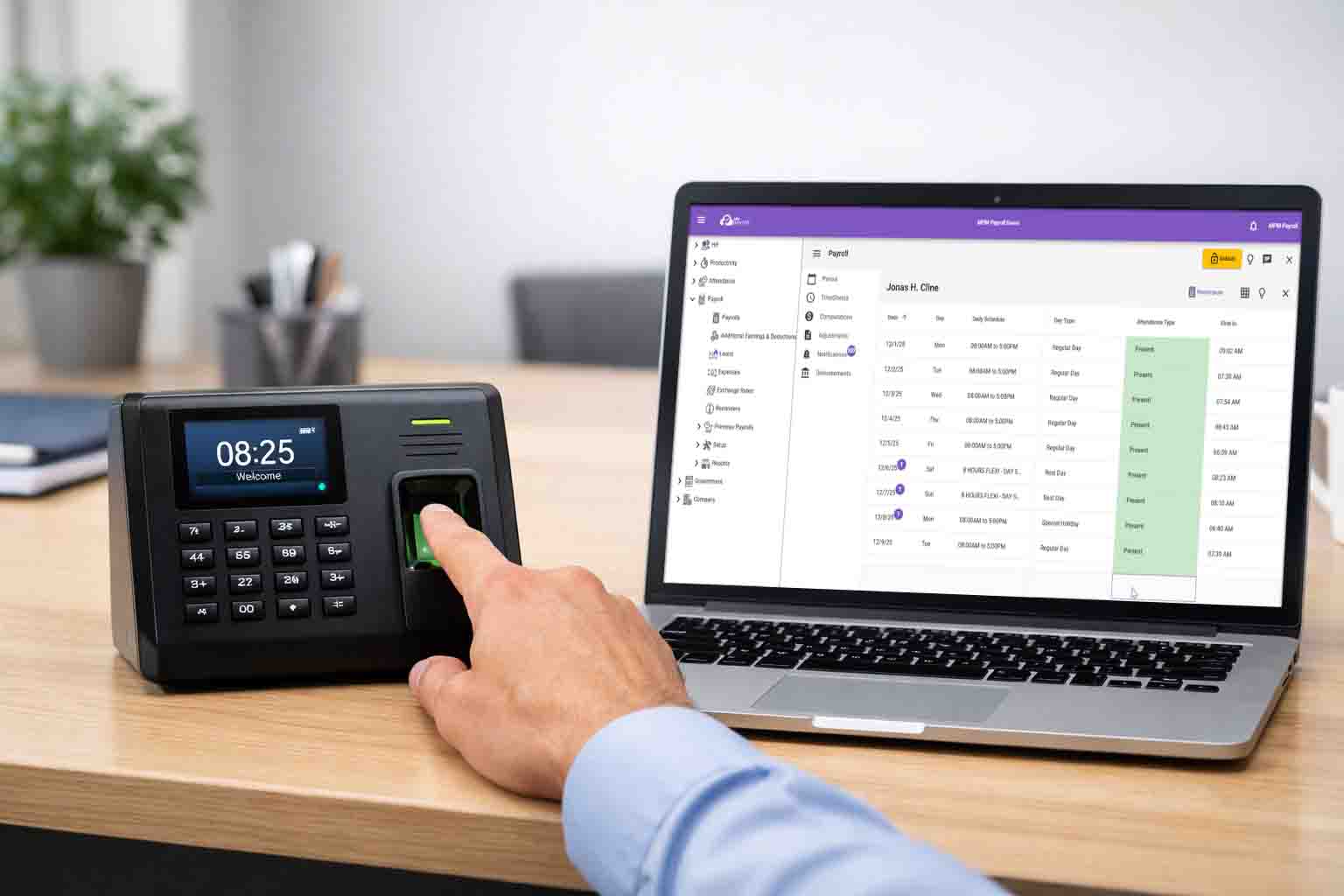
This guide explains how to choose the right biometric device for payroll integration, focusing on commonly used ZKTeco biometric devices and how they work with attendance and payroll systems.
Many businesses today connect their biometric attendance devices directly to payroll software so that time logs can automatically feed into payroll computation, overtime calculations, and attendance validation. Choosing the right device is important to ensure reliable attendance syncing, ADMS compatibility, and smooth payroll integration.
While there are many biometric device brands available in the market, this article focuses specifically on ZKTeco biometric devices because they are widely available, affordable, and among the most commonly used devices by businesses running MPM Payroll. Over time, we have gained extensive hands-on experience integrating these devices through ZKTeco ADMS and other attendance syncing methods across different industries and business sizes.
It is also important to note that MPM Payroll is not affiliated with ZKTeco or any biometric device manufacturer. The models discussed in this guide are based purely on practical deployment experience and the devices most frequently used by MPM Payroll users.
In this guide, we compare several popular ZKTeco device series – LX, IN, MB, and F – and explain how they perform when used as a biometric attendance system for payroll integration.
You can use the table of contents below to jump in any topic of your interest.
- Why this guide focuses on LX, IN, MB, and F Series
- ZKTeco device series comparison for payroll integration
- LX Series – Best value for SMEs and multi-branch businesses
- IN Series – Reliable fingerprint recognition for industrial environments
- MB Series – Face recognition for modern office environments
- F Series – Attendance combined with access control
- Why ADMS is essential for payroll integration?
- How to choose the right ZKTeco device for payroll integration?
Why this guide focuses on LX, IN, MB, and F Series
ZKTeco offers many biometric device models across different product lines. In this guide, we focus specifically on the LX, IN, MB, and F Series.
These are the models we have the most hands-on experience integrating with payroll systems, particularly MPM Payroll.
Over time, these devices have become the most commonly deployed biometric models among MPM Payroll users, especially for Philippine SMEs.
Through real-world deployments across different industries – including:
- Retail chains
- Food kiosks
- Clinics
- IT, BPO and other service offices
- Factories
- Construction with multiple projects/sites
- Multi-branch businesses
– we have seen which devices work best when attendance data needs to be reliably synced and interpreted by payroll systems.
Our recommendations are therefore based not only on specifications but also on actual integration experience, including:
- ADMS attendance syncing
- Multi-branch deployments
- Payroll cutoff reliability
- Handling log interpretation issues such as missing IN/OUT punch types
ZKTeco device series comparison for payroll integration
| Series | Best For | Biometrics | Payroll Integration Suitability (ADMS) |
|---|---|---|---|
| LX Series | SMEs & multi-branch businesses | Fingerprint | ⭐⭐⭐⭐ |
| IN Series | Industrial workforce | Fingerprint | ⭐⭐⭐⭐ |
| MB Series | Modern offices with face recognition | Face + Fingerprint | ⭐⭐⭐ |
| F Series | Attendance + access control | Fingerprint / Face | ⭐⭐⭐⭐ |
LX Series – Best value for SMEs and multi-branch businesses
Best for: small businesses, retail chains, food kiosks, and distributed operations.
Contrary to common assumptions, the LX Series is often the most practical biometric device for payroll-integrated attendance systems.
Many LX models support ADMS, which allows them to integrate smoothly with MPM Payroll and other cloud attendance systems.
Key advantages
- Lowest hardware cost among ZKTeco devices
- Some models support ADMS automatic log syncing
- Easy to deploy across many locations
- Reliable fingerprint attendance for small teams
Because of its affordability, LX devices like LX16W are commonly used in multi-branch environments.
Example scenario
A business with 20 food kiosks may deploy:
- One biometric device per kiosk
- Centralized payroll processing
- Automatic attendance syncing through ADMS
In this setup, the LX Series becomes the most cost-effective solution.
Ideal use cases
- Food kiosks
- Retail stalls
- Clinics
- Small service offices
- Businesses with less than 15 employees per branch
IN Series – Reliable fingerprint recognition for industrial environments
Best for: factories, warehouses, construction, and logistics.
The IN Series is designed for environments where fingerprint conditions are challenging.
Employees performing manual labor often experience:
- Worn fingerprints
- Dirty or wet fingers
- Frequent fingerprint scan failures on standard devices
Advantages for payroll accuracy
- Improved fingerprint recognition for difficult conditions
- Fewer missed punches
- ADMS-enabled models allow automatic attendance syncing
Recommended when
- Workforce performs manual labor such as in construction and manufacturing
A specific model that you might want to consider from this series is the IN05-A.
MB Series – Face recognition for modern office environments
Best for: corporate offices, BPOs, and larger employee populations.
The MB Series focuses on face recognition combined with fingerprint verification.
This allows faster attendance verification and reduces reliance on fingerprint quality.
Advantages
- Touchless attendance
- Faster verification during peak hours
- Reduced queues at clock-in/out
Integration consideration: Missing IN/OUT log type
One issue we have encountered with some MB Series devices is that attendance logs sent through ADMS may not include the punch type (IN or OUT).
When the device sends attendance logs, the data may contain:
- Employee ID
- Timestamp
- Verification method
—but not always the actual log direction.
Why this matters for payroll systems
Many payroll systems rely on the log type to correctly interpret attendance records.
If the device does not send the log type, the payroll system must infer attendance events using methods such as:
- Alternating IN / OUT logic
- Shift-based interpretation
- First log = IN assumption
This approach works in some cases but may cause problems for:
- Flexible schedules
- Multiple breaks
- Night shifts
- Multiple biometric devices
For this reason, device compatibility testing is important before deployment, especially when integrating with payroll systems.
F Series – Attendance combined with access control
Best for: offices that require both attendance tracking and door security.
The F Series is commonly installed near entrances and integrated with door locks and access control systems.
Advantages
- Attendance + access control in one device
- ADMS-enabled models available
- Suitable for controlled office environments
Recommended when
- Businesses need biometric door access control
- Office security is part of the attendance system
A good example of a specific model in the F series is the F22.
Why ADMS is essential for payroll integration
ADMS (Automatic Data Master Server) allows biometric devices to automatically push attendance logs to a central server or payroll system. It is one of the most important features that you need to look for when shopping for biometric device for payroll integration.
Without ADMS, attendance data is often transferred using:
- USB exports
- Manual uploads
- Branch-level data collection
These manual processes often cause missing or delayed attendance records.
Benefits of ADMS for payroll
ADMS-enabled devices allow businesses to:
✔ Automatically sync attendance logs
✔ Reduce missing punches before payroll cutoff
✔ Centralize attendance from multiple branches
✔ Minimize manual attendance corrections
For payroll systems like MPM Payroll, ADMS ensures that attendance logs are available and updated before payroll processing begins.
How to choose the right ZKTeco device for payroll integration
| Business Scenario | Recommended Series |
|---|---|
| SMEs with multiple small branches | LX Series |
| Industrial workforce | IN Series |
| Corporate offices with face recognition | MB Series |
| Offices with access control needs | F Series |
For many SMEs, the LX Series offers the best balance of cost, simplicity, and payroll integration capability, especially when using ADMS-enabled models.
Businesses with specialized environments may benefit from other device lines, but the most important factor remains the same:
Choose a biometric device that reliably sends attendance data before every payroll cutoff.
When biometric devices integrate properly with MPM Payroll, businesses can automate:
- Payroll computation
- Overtime calculation
- Leave tracking
- Attendance validation
—reducing manual work and improving payroll accuracy across the organization.

Leave a Reply